
03Billing & Operations for Neighbourhood Generators
CleverOp Generator
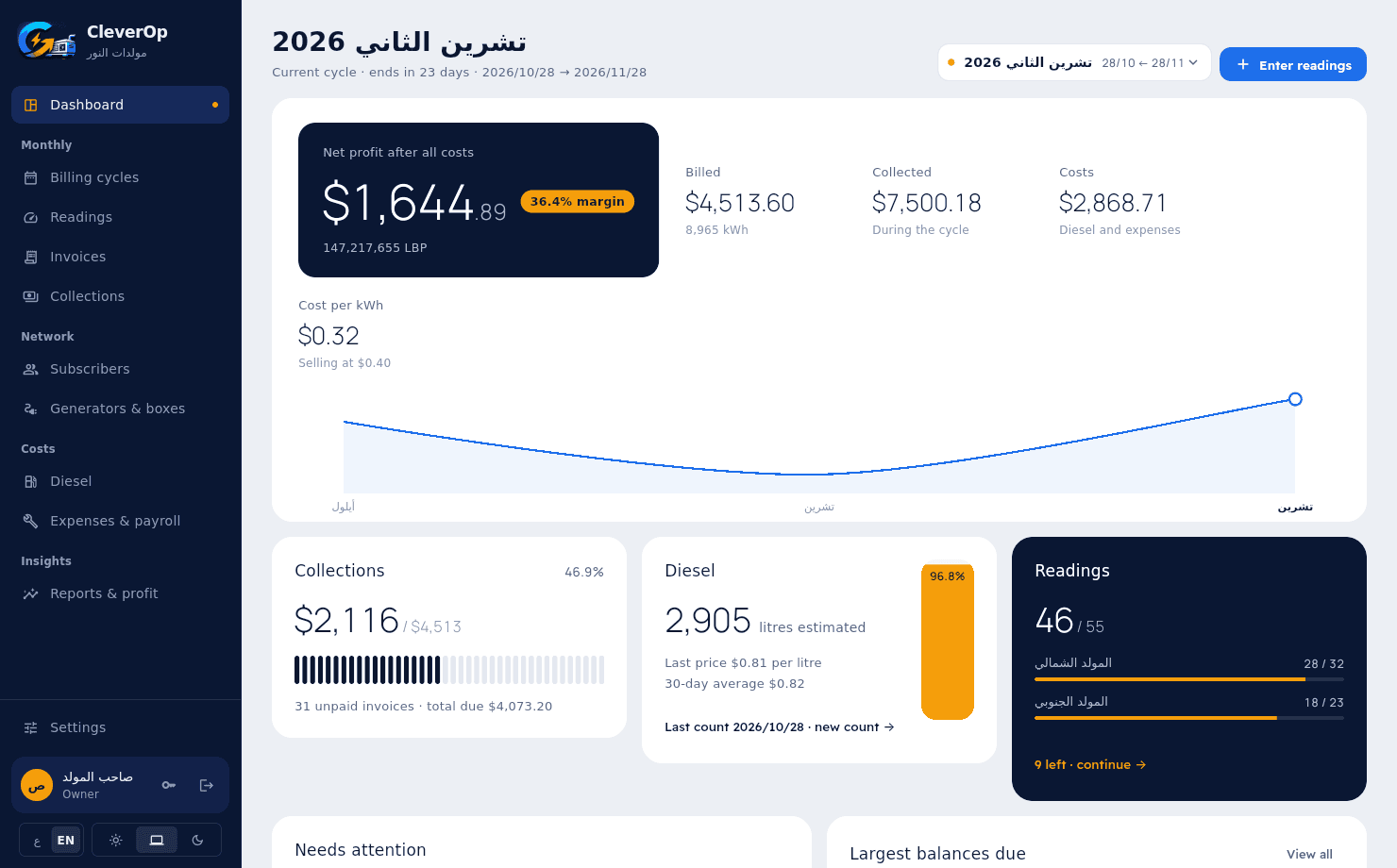
In Lebanon, whole streets buy their electricity from a private generator. Every month the owner reads dozens of meters, bills each subscriber in dollars and lira, collects cash at the shop and pays for diesel at a price that changes with every delivery. CleverOp Generator runs that whole month — from the first meter reading to the last dollar in the cash box.
- Role
- Product, design & engineering
- Timeline
- November 2026 – present
- Platform
- Windows 10/11 · fully offline
- Status
- v1.2.0 · signed Windows build
- Languages
- العربية · English
- Flutter
- Desktop
- Utilities
- Billing
01
Problem
Most generator businesses run on a notebook, a calculator and a phone full of WhatsApp chats. The owner knows what was billed, but rarely what was collected, what the diesel really cost or what each generator actually earned.
- Meter readings copied by hand, with typos that turn into wrong bills
- Bills worked out one by one in two currencies at a changing rate
- Arrears and late payers followed from memory
- Cash collected at the shop that never quite matches the drawer
- Diesel bought at a different price every time, so true profit is a guess
02
Product
One desktop application for the whole generator business, organised around the people who run it — the meter reader, the cashier at the shop, the accountant and the owner.
Readings
Keyboard-first entry: type the reading, press Enter and the bill is calculated instantly; unusual usage is flagged and a lower reading is refused.
Invoices
Metered (usage × kWh price + a fixed fee by amperage) or flat-rate by amperage, with discounts, arrears and the lira equivalent; printed A4, A5 or 80mm thermal.
WhatsApp
Invoices, receipts, reminders and warnings sent free from the shop’s own WhatsApp, or automatically through the WhatsApp Cloud API.
Collections
Payments in USD or LBP, numbered receipts, account statements, debt aging and a list of subscribers due for a warning.
Cash box
Cash per collector in dollars and lira, withdrawals, and an end-of-day X / Z close that counts by denomination and shows any shortage or surplus.
Diesel
Purchases from suppliers at a different price each time, stock counts, supplier debts and a weighted-average cost per litre.
Expenses & payroll
Salaries and advances, maintenance and breakdowns, fixed monthly costs and editable categories.
Owner reports
Net profit per generator after all costs, cycle comparison, kWh per litre, profit per box and street, and a monthly summary on WhatsApp.
03
Core Workflow
The monthly cycle every generator owner runs — designed so each step hands the next one exactly what it needs.
- 01
Open the cycle
Free start and end dates (the 28th to the 28th), a kWh price per generator and the month’s dollar rate.
- 02
Read meters
Enter after each reading; flat-rate invoices are issued in one action.
- 03
Send bills
Review unusual usage, then print or send every invoice on WhatsApp in sequence.
- 04
Collect
Each payment gets a numbered receipt, printed or sent on WhatsApp on the spot; reminders go to late payers.
- 05
Close the day
Count the drawer, close it with a Z number and send the close to the owner.
- 06
Know the profit
Diesel at weighted cost plus direct and shared expenses — net profit per generator, then close the cycle.
04
Architecture
A local-first monolith: no server and no subscription. One Windows PC runs the business from a single SQLite file; the internet is needed only for the WhatsApp API and the daily Dropbox upload.
Interface
Flutter desktop
Navy and logo-blue design system, Arabic right to left and English, light and dark
Documents
Invoices, receipts, cash closes and reports as PDF and Excel
Domain
Pure-Dart billing & fuel
Billing formulas, weighted diesel cost and profit allocation, covered by tests
Permissions & audit
Owner, accountant, meter reader or custom roles; sensitive actions logged by name
Data
SQLite via Drift
Prices copied into every invoice · a separate demo file
Services
WhatsApp & Dropbox
Cloud API and daily report upload; keys in Windows Credential Manager
Offline activation
Ed25519-signed device key, verified without internet
05
Engineering Challenges
- 01
Bills that never change after the fact
Every invoice copies the kWh price, fees, discount and exchange rate it was issued with. Changing a price next month never rewrites last month’s bills.
- 02
Two currencies at the counter
Bills are priced in dollars and shown in lira at the cycle’s rate, rounded to the cash step. Payments land in either currency and the cash box keeps each one separately.
- 03
A cash box that has to balance
Expected cash is the opening float plus cash collected since the last close, less withdrawals. A Z close counts by denomination, records any difference with a reason and locks the payments it covers — only the owner can change them, and that is logged.
- 04
Profit that includes the diesel
Diesel used is opening stock plus purchases less closing stock, priced at the weighted average. Shared expenses are split by what each generator billed, so every generator shows its real margin and cost per kWh.
- 05
Built for the person at the keyboard
A meter reader enters a whole street with the keyboard alone, and a cashier hands over a numbered receipt the moment a subscriber pays.
06
Reliability & Security
Reliability
- One SQLite file in Documents, with backup and restore and an optional backup in the daily Dropbox export.
- A separate demo file with fictional data to learn on before touching real records.
- Subscribers imported from Excel or CSV, with a line-by-line preview of anything rejected.
- Nonsense input refused: zero or negative payments, a zero kWh price or exchange rate.
- Account numbers are unique for life and never reused, even after deletion.
Security
- Passwords hashed with PBKDF2, with a temporary lock after five failed attempts.
- Roles and permissions for owner, accountant, meter reader and collector.
- An audit log of every sensitive action, reviewed by the owner.
- WhatsApp and Dropbox keys stored in Windows Credential Manager, never in the database or backups.
- A one-time device key signed with Ed25519 and verified offline; owner password recovery through a signed recovery key.
07
Technology
- Interface
- Flutter 3Dartfl_chart
- Data
- SQLiteDrift
- Documents
- pdfprintingexcel
- Integrations
- WhatsApp Cloud APIDropboxWindows Credential Manager
08
Screenshots
Screenshots from the built-in demo data — names and figures are fictional.
- CleverOp Generator
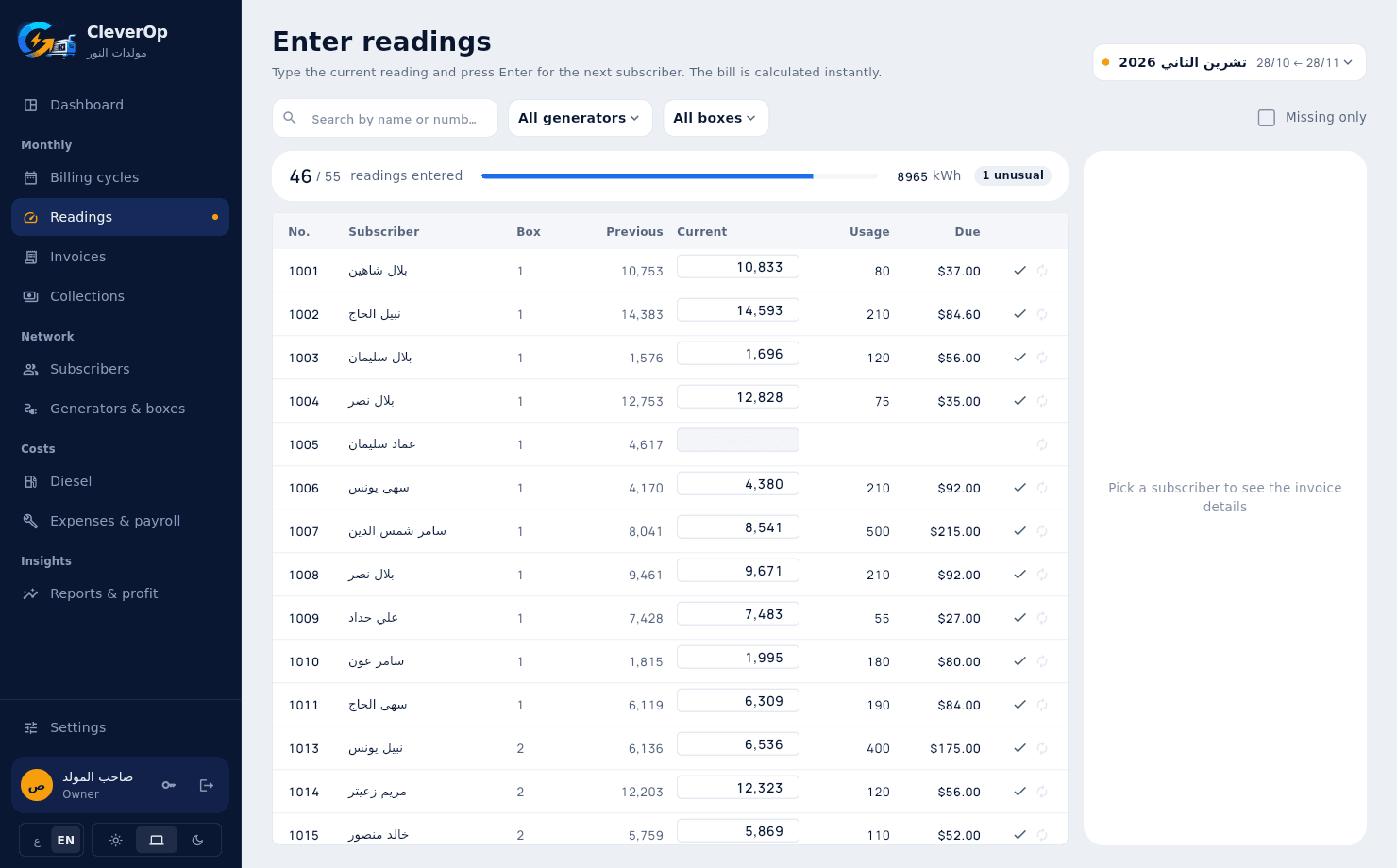
Readings — type the reading, press Enter; the bill is calculated instantly and unusual usage is flagged. - CleverOp Generator
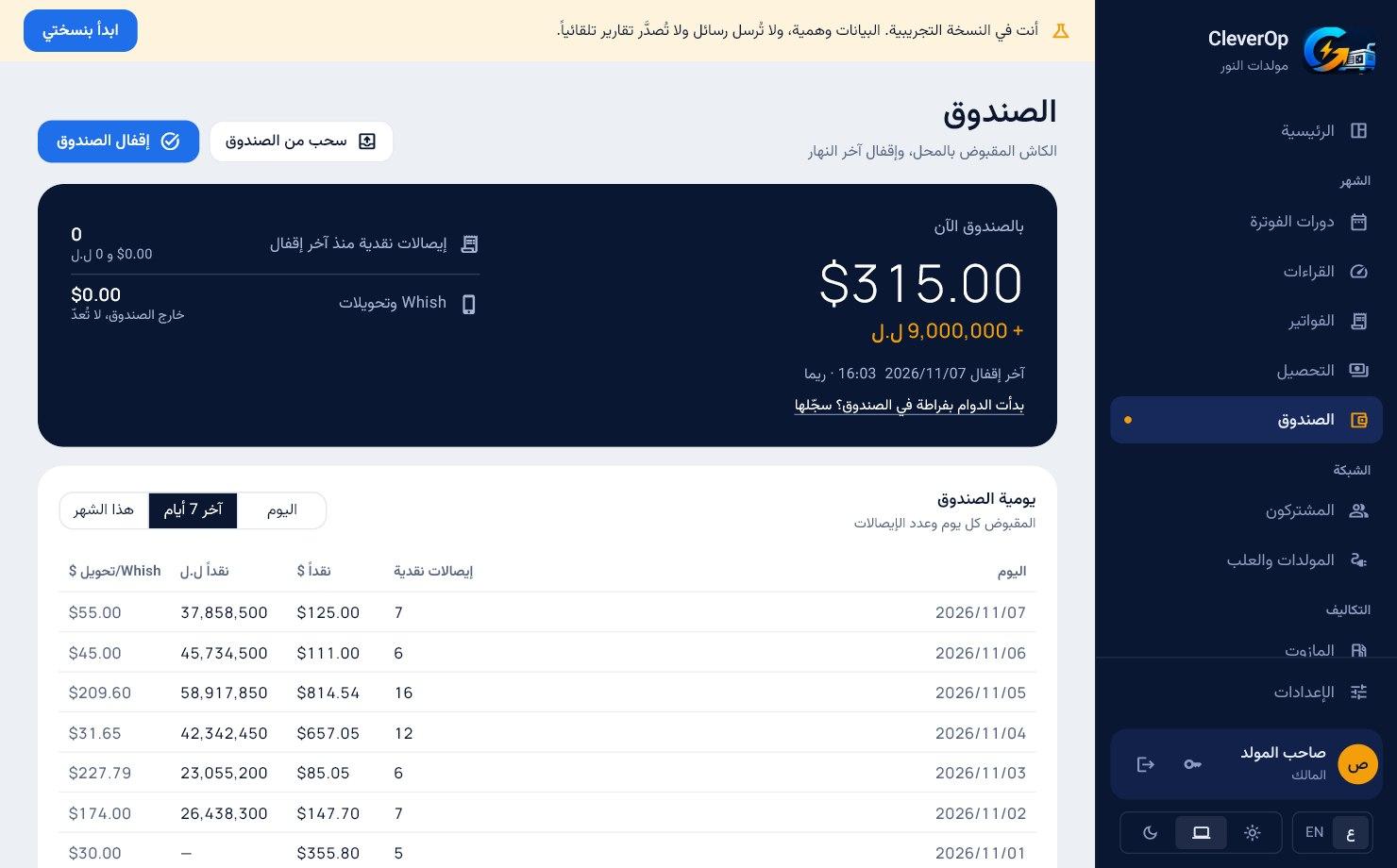
Cash box — what is in the drawer in dollars and lira, transfers kept apart and the end-of-day close. - CleverOp Generator
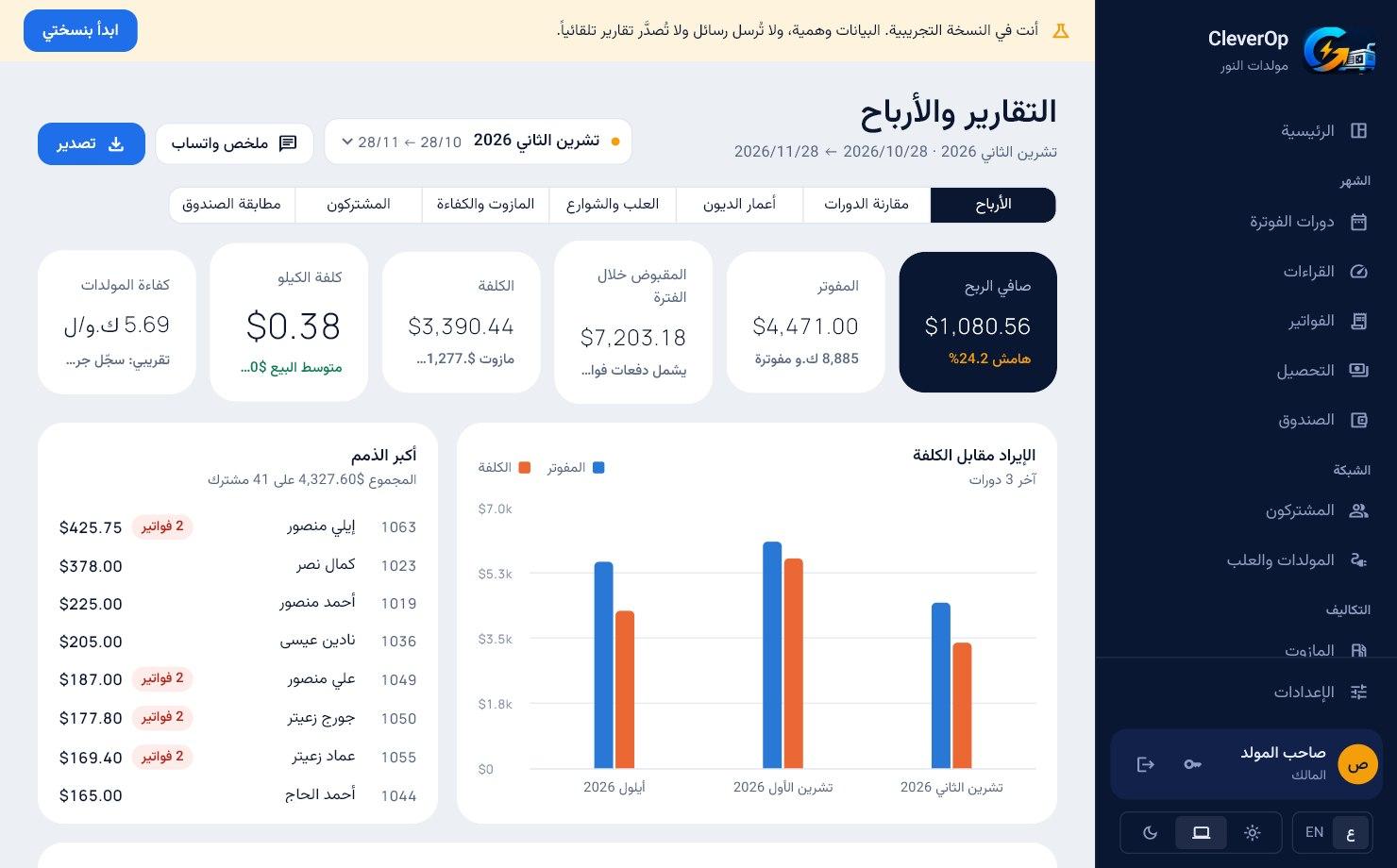
Reports — net profit after diesel and expenses, revenue against cost by cycle and who owes the most. - CleverOp Generator
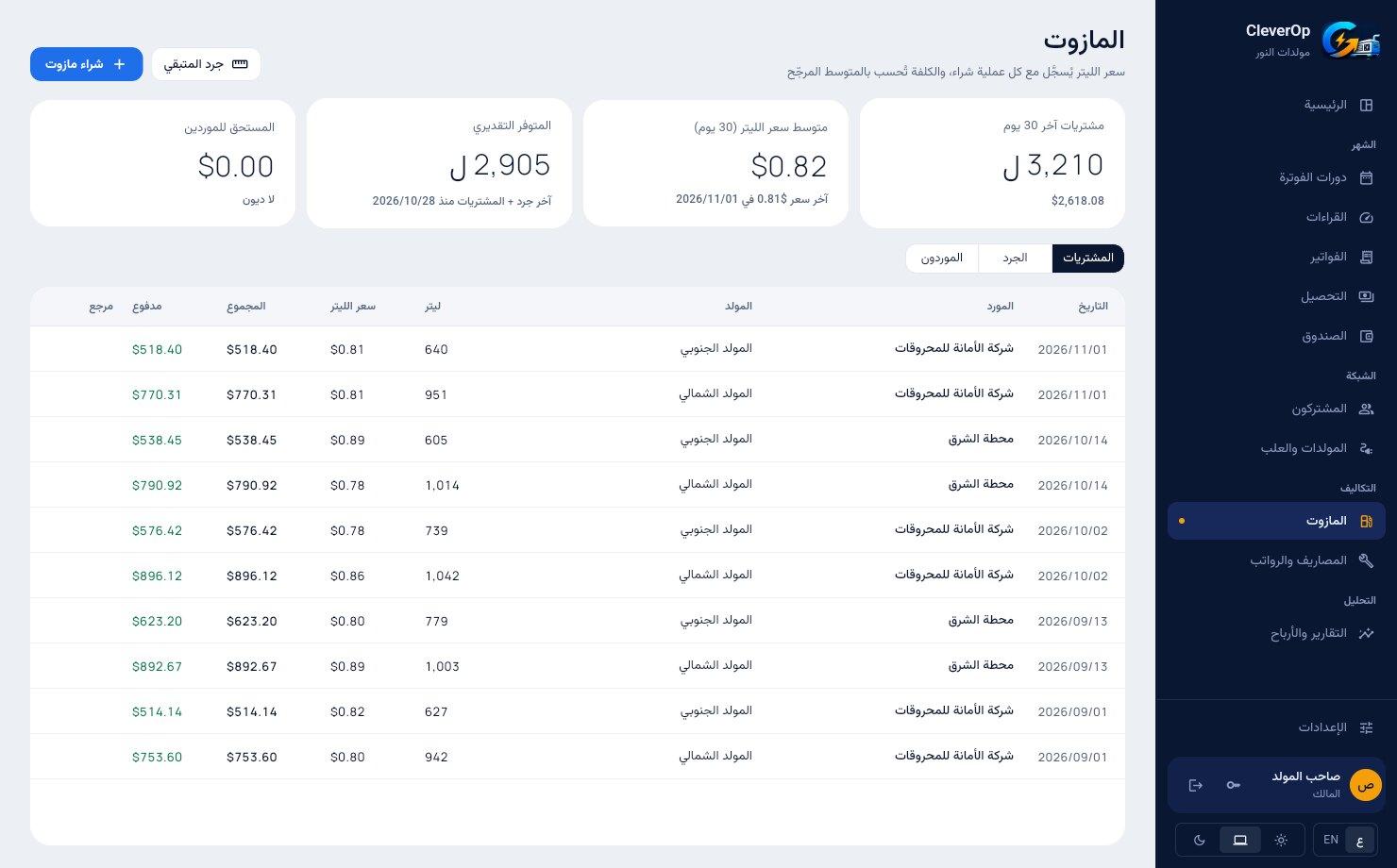
Diesel — every purchase at its own price, stock counts and the weighted average that feeds profit.
09
Lessons
“Follow the money to the drawer.”
Billing is only half the job. The owner trusts the software when the cash it expects is the cash they count.
“Freeze what was agreed.”
A bill is a promise at a price and a rate. Copying both into the invoice keeps old records true.
“Write the guide with the product.”
A full Arabic user guide built from real screens ships with the software — the person at the shop learns from it, not from a phone call.
10
Current State
v1.2.0 · signed Windows build
CleverOp Generator works end to end and ships as a signed Windows build with offline device activation and a full Arabic user guide. It is offered to generator owners in Lebanon through cleverop.app.
- Working: billing cycles, readings, invoices, WhatsApp, collections and receipts, cash box and Z closes, diesel, expenses and payroll, owner reports, Excel import, audit log, Dropbox export and backups.
- Not built yet: multi-PC sync and a subscriber-facing app. The program never cuts anyone off — it only lists who is due.
Start a Project
Need software built around your workflow?
I design and build business applications with the same care you see here.